
The person responsible changes; the website still needs to run
The previous supplier has stopped supporting the site, technical staff have left, or operating needs have outgrown the original agreement: businesses have many reasons to seek a new maintenance partner.
A smooth handover starts with a practical question: which assets, services and people does the website depend on? Until that is clear, an administrator login alone is not enough to take over all the work.
You do not need a perfectly complete documentation pack before talking to a new supplier. Knowing what you have, what is missing and what affects the business helps both sides assess the next step.

1. Establish management rights over important assets
Make an inventory rather than grouping everything as “website accounts”. Common items to clarify include:
- Domain: the registrant or manager, renewal date and supplier contact.
- Hosting or server: where the site is hosted, administrator access and shared services.
- Source code and database: the running version, working-copy location and customisations.
- Themes, plugins and commercial software: whether licences belong to the business or the developer's account.
- Integrated services: email, CRM, payments, maps or other connected systems.
- Documentation and backups: operating guides, configuration records, backups and how to retrieve them.
Not every site has every component. The aim is to identify what the site actually uses and what the business has the right to take over.
Software licences need particular attention to their terms. Do not assume a licence attached to the old supplier's account can transfer to a new partner.
2. Record the functions that must not be overlooked
A new provider may see the interface without knowing how the business uses it. A form barely visible in navigation might receive all advertising enquiries. A separate login page may serve longstanding partners.
Specify important flows: where customers come from, what they do, where data goes and which staff receive it. Integrated systems need a contact at the relevant organisation for coordinated checks.
Also record periods when changes should be restricted, such as launches, campaigns or data-update windows. This helps arrange the transition around business operations.
3. Collect outstanding faults and requests
“The website is slow”, “it often fails” or “the form works intermittently” are starting points, not enough to identify a cause. For each issue, add:
- The URL or affected function.
- Steps taken and the actual result.
- When the issue was first noticed.
- Devices or conditions in which it commonly occurs.
- The effect on customers or internal work.
- Known recent changes or attempted fixes.
Screenshots and recordings can reduce clarification time. Before sharing, remove customer data, login information and unnecessary private content.
4. Where to start when accounts or documents are missing
First distinguish information that has not been found from assets the business has no management rights over. These require different responses.
If a former employee managed an account, work with internal contacts or the supplier through a legitimate verification process. If source code or licences depend on the previous supplier's agreement, review the contract and handover scope.
The new partner can assess what it is authorised to access to define the limits of its review. Some conclusions require sufficient access and data. Do not promise every issue can be fixed before inspection, or assume missing documentation means the website must be rebuilt.
5. Distinguish assessment, takeover and repairs
Assessment establishes the current state. Takeover establishes access, contacts and operating responsibilities. Repairs or upgrades follow identification of issues and agreement on scope.
These stages can occur close together but must be clearly discussed. Existing defects, unsupported software or unsuitable infrastructure may require a separate plan; the parties should not misunderstand what routine maintenance includes.
Even urgent work should record the initial state, permitted changes and checks to perform afterwards.
6. Agree a transition that limits disruption
Changing maintenance partners does not necessarily require moving hosting or changing the domain. Infrastructure should change only for a clear reason with an appropriate plan.
If migration is needed, consider data, email, DNS, certificates and integrations. An unchecked DNS change can disrupt email even when the original aim is only to move the website.
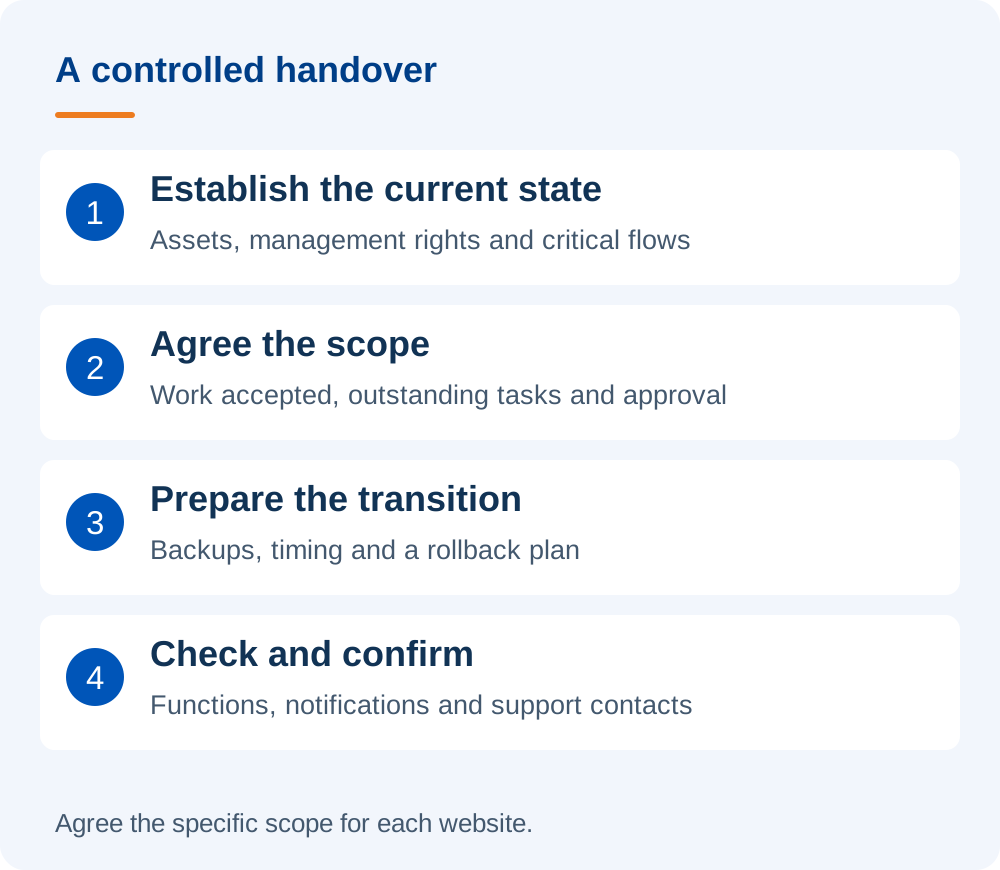
Before starting, agree backups, timing, decision-makers, checks and rollback conditions. Grant separate access according to the work, exchange it through an agreed channel and review it after completion. Never put passwords or access keys in a public contact form.
Initial handover inventory template
| Information group | What to record |
|---|---|
| Website scope | Domains, websites or environments to take over. |
| Assets and management rights | Suppliers, management contacts, transferable items and items needing verification. |
| Important flows | Enquiries, registration, purchases, integrations and data recipients. |
| Technical condition | Known faults, recent changes, documentation and backup status. |
| Work to continue | Outstanding requests, priority and approver. |
| Transition | Timing, contacts on both sides and completion confirmation. |
What should be confirmed after takeover?
Check agreed access, critical functions, notification destinations and outstanding work. The business should also know when the new provider's responsibility begins and whom to contact if an issue occurs.
Do not end the handover with an account list. The outcome should be that the new provider understands the work accepted and the business knows the scope in which its website is managed.
If you need a partner to take over a website built by someone else, explore DigiWeb's WordPress maintenance service. Please send the URL, current support situation and difficulties so both sides can discuss a suitable initial assessment.